Available as VST3AUCLAPStandalone

Made for music
that moves

Synchrony’s new approach to tempo mapping makes it easier to create expressive music in your DAW, free from the rigidity of a click track.

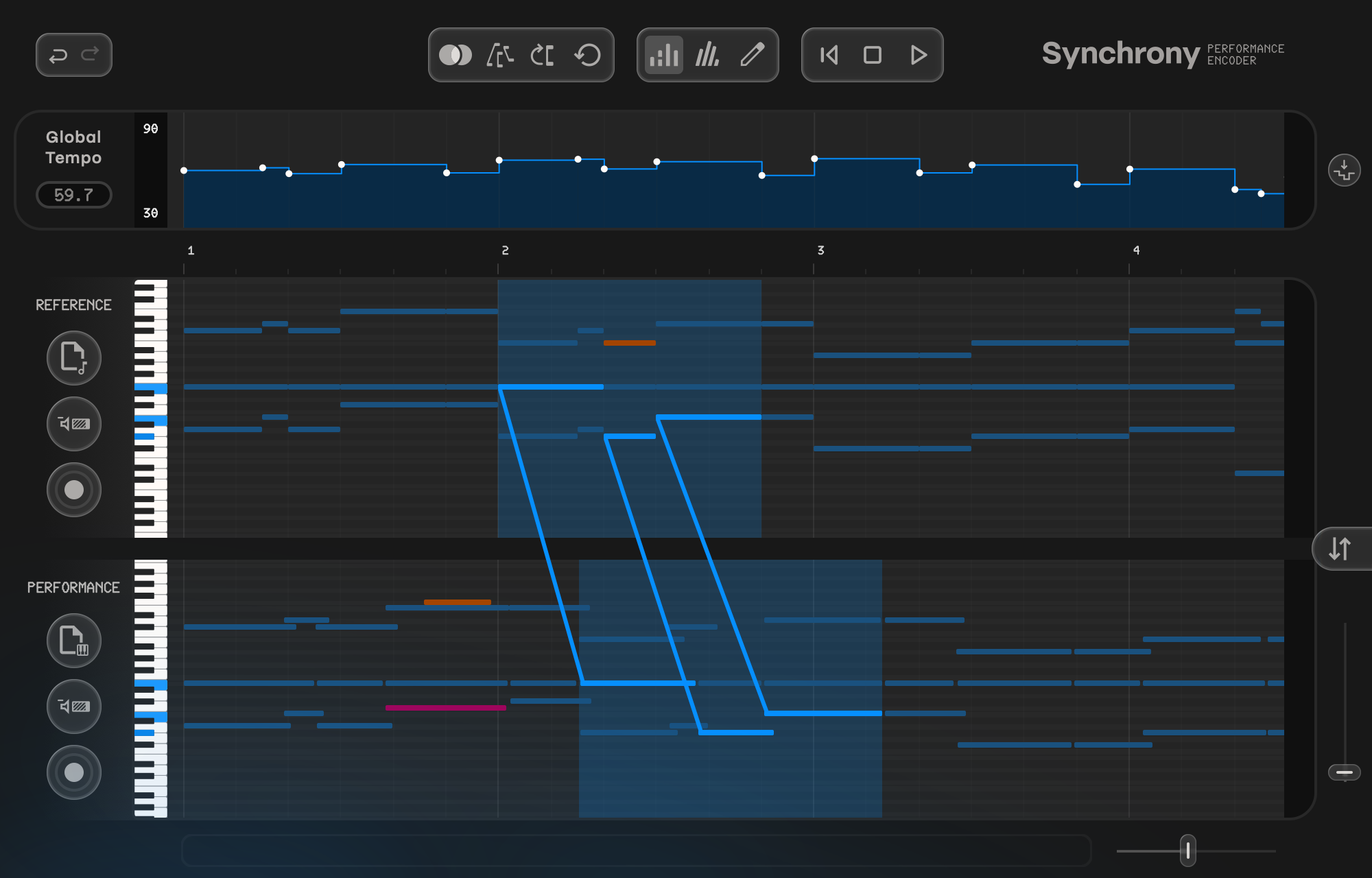
The Synchrony editor: a score and a performance aligned note by note, above the tempo map generated from that alignment.
From the studio

“Thanks to Synchrony, it was SO much easier than audio warping and trying to make it make sense manually.”

Tom Rackham
Tom Rackham Film & TV composer · United Kingdom
Production workflow

NuendoDoricoSynchronyPro Tools

Dynamic click

A rubato sketch became the session’s click track: the metronome, turned collaborator.

See the full workflow

One-time purchase — Intro offer

Secure checkout via Moonbase

Intro pricing ends 31st August

- How it works

Four steps to a tempo map

Synchrony analyses the timing of a freely-recorded performance relative to a grid-aligned MIDI reference and encodes the tempo fluctuations as a high-resolution tempo map.

Import your reference

This could be a score exported from Dorico, a quantized performance, or simply a performance recorded to a click.

Play freely

Forget the click. Play expressively. Dramatic rubato, subtle pauses, whatever the music calls for.

Align to the reference

Synchrony aligns your performance to the reference and encodes the tempo fluctuations of your playing as a tempo map.

Export the tempo map

Drag and drop the tempo map into your DAW and the whole arrangement will follow your original interpretation, with all your virtual instruments perfectly in sync.

- Alignment

Note-by-note precision

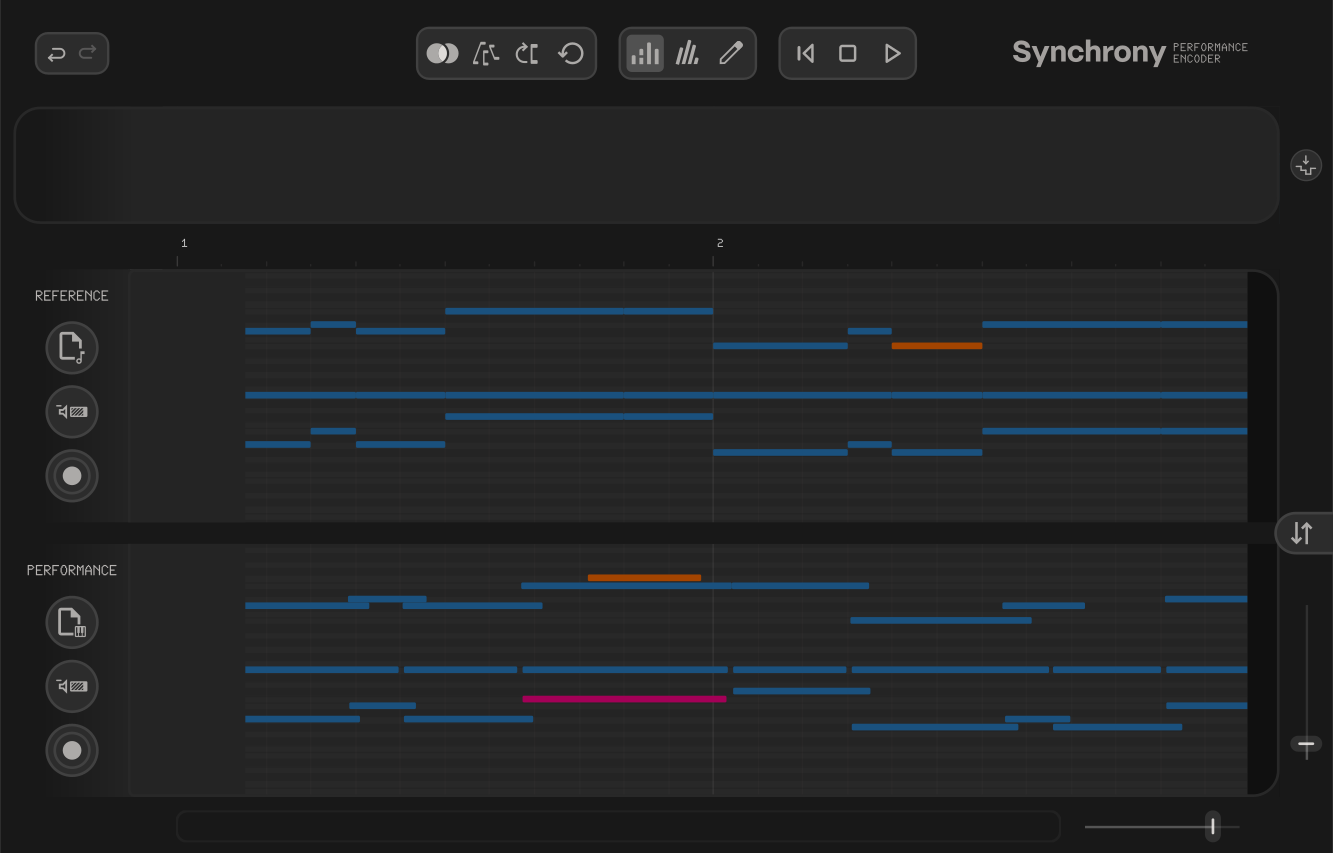
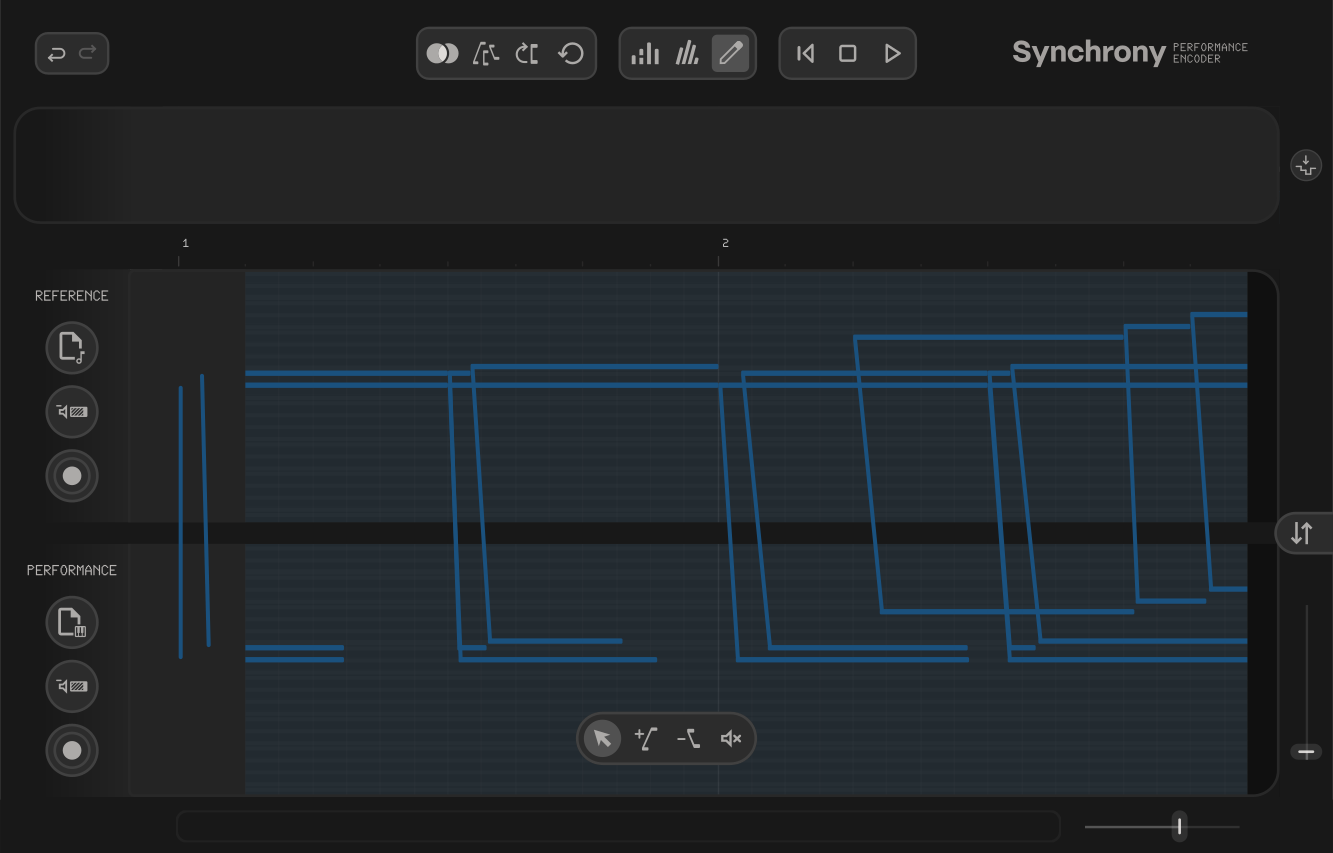
Synchrony’s alignment editor helps you understand the note alignment at a glance, with pitch errors and notes the performer has added or omitted easy to identify via a rich note colour hierarchy.
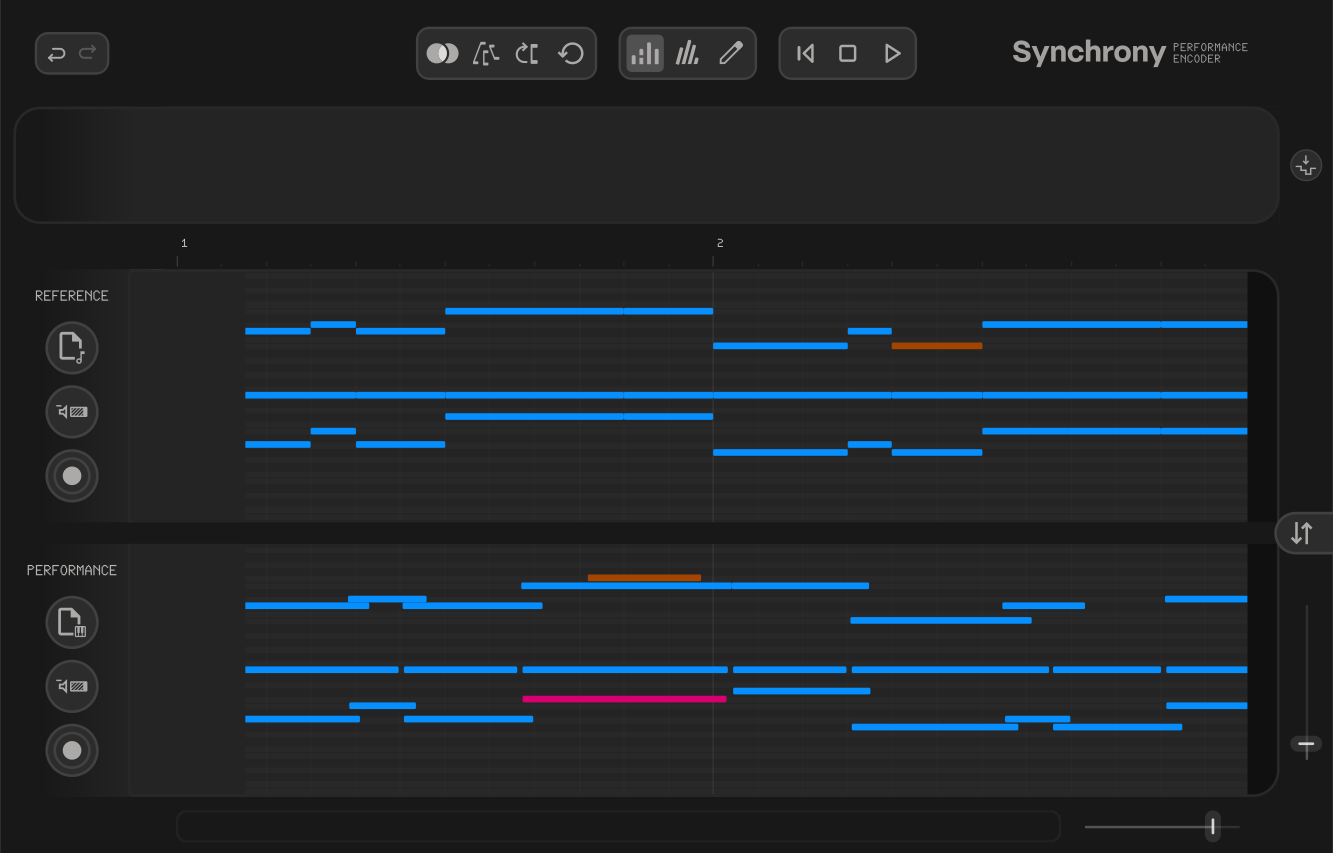
  • MatchedPaired with the reference. Matched pairs are what the tempo map is built from.
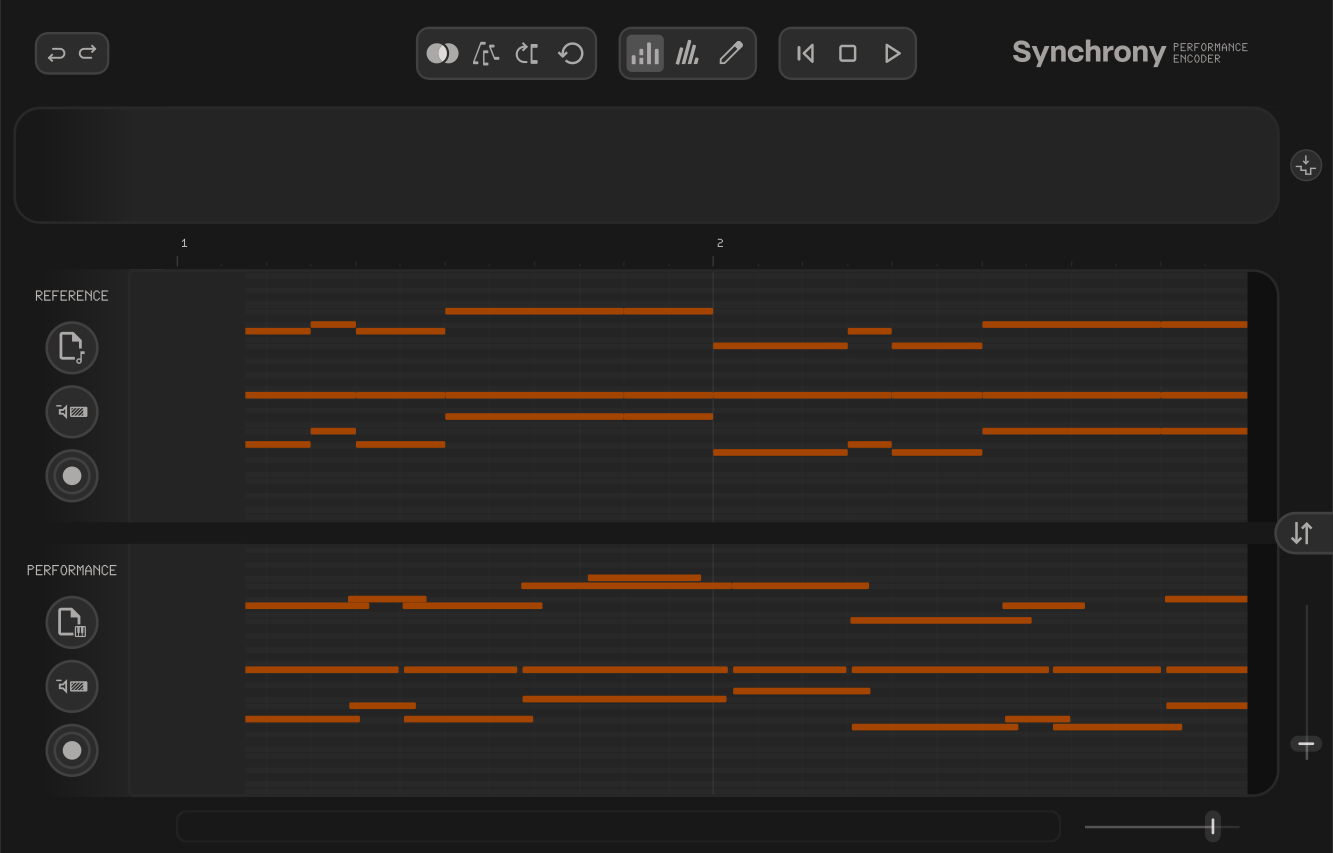
  • UnmatchedNotes the performer has added or omitted. Left out of the tempo map.
  • Pitch errorLines up in time but not in pitch. Flagged as a likely wrong note.
Synchrony before alignment, every note shown as unmatched Synchrony aligning, matched and pitch-error notes highlighted Synchrony after alignment, notes colour-coded by role
- The interface

A new kind of MIDI editor

Score and performance side by side, with the tempo map generated from your alignment.
  1. 1Tempo editor. Displays the generated tempo curve. Edit or delete tempo points and export the tempo map to your DAW to drive playback.
  2. 2Alignment tools. Tools for editing the alignment: match, remove match, and mute. Refine the note-by-note mapping between score and performance.
  3. 3View modes. Synchrony has three view modes: analysis, velocity, and editor. Analysis gives you a quick overview; editor is for detailed adjustments.
  4. 4Score editor. Your reference. This can be a quantized or unquantized performance, or a musical score.
  5. 5Alignment editor. Visualises the note-by-note mapping between score and performance. Review matches and step in to refine.
  6. 6Performance editor. Your expressive playing, displayed in linear or musical time so you can see exactly how your timing deviates from the score.
The Synchrony interface: tempo editor above the reference and performance piano rolls, with the alignment editor mapping between them.
- Made for

Where Synchrony shines

Orchestral mockups, film scores, chamber music. Any session where you want rhythmic freedom across multiple parts.

Complex music

Note-by-note alignment excels where other methods fall short: dense passages, high tempo variability, irregular metres, and rapidly changing time signatures.

Your MIDI stays clean

The expression lives in the tempo map. Your MIDI data stays quantized and notation-ready, ready to export as parts for a scoring stage.

Orchestral mockups

When every part follows the tempo track, the whole arrangement moves together, with all your virtual instruments perfectly in sync.

- Newsletter

Hear it first

Join the mailing list for updates, tutorials, workflow tips, and first word on future plugins from Symbolic Music.

Unsubscribe any time.

Free trial

Start a 14-day trial

Download free trial

You’ll be taken to Moonbase to download. The trial starts when you open Synchrony.